 RichTextBox
Limit text length in an ASP.NET Core rich text editor
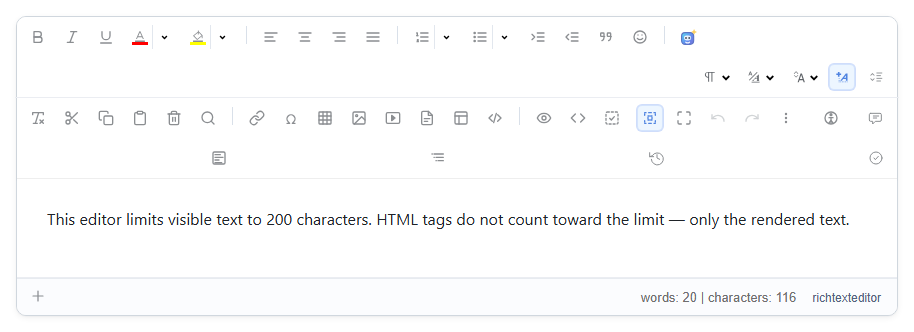
A comment box, a product summary or a short bio needs a limit. With a rich text editor there are two different things to limit: what people can read, and how much HTML you store. RichTextBox has an attribute for each.
Limit the visible text
<richtextbox name="Summary"
             toolbar="basic"
             height="240px"
             max-text-length="200"
             show-statistics="true"></richtextbox>
max-text-length counts characters a reader sees, without tags, which is usually what you want. show-statistics adds the live count at the bottom of the editor, so people know where they stand.
Limit the stored HTML
<richtextbox name="Note" toolbar="default" max-html-length="500"></richtextbox>
max-html-length counts the markup as well. A few words pasted from Word or a coloured sentence can be far longer in HTML than they look, so use this limit when a database column has a fixed size.
The browser limit is not enough
Anyone can post your form without the editor, so a limit that exists only in the page protects nothing. Put it on the model, and the server enforces it:
[BindProperty]
[RichTextHtml(MaxTextLength = 200)]
public string? Summary { get; set; }
<richtextbox asp-for="Summary" toolbar="basic" show-statistics="true"></richtextbox>
<span asp-validation-for="Summary"></span>
A post over the limit fails validation, so check ModelState.IsValid in your handler. And you only write the number once: through asp-for, the editor reads the same limit from the attribute.
Which to use
| Situation | Use |
|---|---|
| "Keep the summary to 200 characters" | MaxTextLength |
The column is nvarchar(4000) | MaxHtmlLength |
| An unlimited article body | Neither, with a large column |