 RichTextBox
Insert code blocks in an ASP.NET Core rich text editor
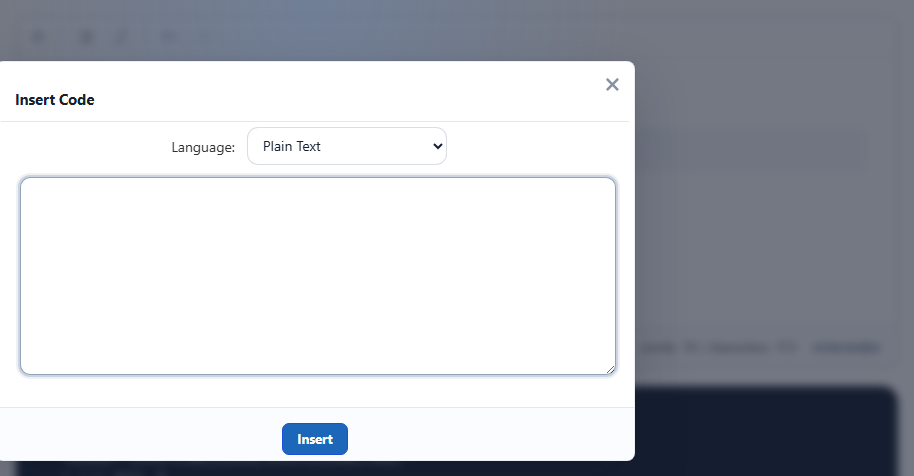
A technical blog or documentation site needs code that keeps its spacing and is not read as formatting. The Insert Code dialog handles that. The button is insertcode, in the default and full toolbars.
Add it
<richtextbox name="Body"
             toolbar="{insertcode,bold,italic}|{undo,redo}"
             enable-context-menu="true"
             height="300px"></richtextbox>
The dialog
Paste the code, choose a language and press Insert. The list has Plain Text, JavaScript, Java, C/C++, C#, CSS, PHP, Python, XML/HTML, VB.NET, Ruby and SQL.
It is safe from the start
Code is inserted as text, so <script> inside a code block is shown, not run. That holds when it passes through the cleaner too, because the characters are escaped.
Show it well on your page
Give code blocks readable styling, and let long lines scroll in their own box, so they do not stretch the page on a phone:
.article pre {
    background: #1f2430;
    color: #e6e9ef;
    padding: 1rem;
    border-radius: 8px;
    overflow-x: auto;
}
Small pieces of code in a sentence
The inlinecode button, in the More panel, marks a word within a sentence, such as a setting name. Use the dialog for anything longer than a line.