 RichTextBox
HTML source code view in an ASP.NET Core rich text editor
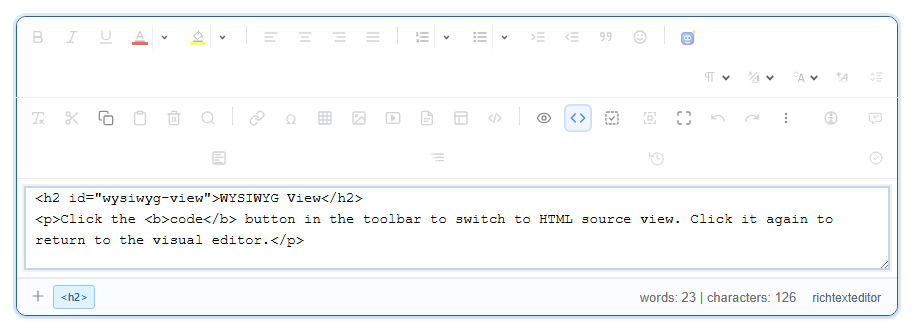
Some people need to see or adjust the HTML directly: to paste an embed code, fix a stubborn bit of markup, or check what was really saved. The Code button switches the editor to its source.
Add the button
Its name is code, and it is in the basic, default and full toolbars. In your own:
<richtextbox name="Body"
             toolbar="{bold,italic}|{code}|{undo,redo}"
             height="400px"></richtextbox>
To take the option away from ordinary users, leave it out of their toolbar:
<richtextbox asp-for="Body"
             toolbar="@(User.IsInRole("Admin") ? "full" : "{bold,italic}|{insertlink}|{undo,redo}")"></richtextbox>
Source view is why the server has to clean
With a source view, anyone can type <script> into your form. Hiding the button does not change that, since a person can post anything without the editor at all. So treat this as the reminder: everything saved has to pass through the server's cleaner.
[BindProperty]
[RichTextHtml]
public string? Body { get; set; }
That is also the honest answer to "why did my script disappear?". [RichTextHtml] removed it, as intended. See how the cleaning works.
Trusted users who need embeds
If your own staff need to save something the policy removes, configure the sanitizer through options.Sanitizer rather than removing the cleaning. Keep this narrow, because the policy applies to everyone who saves through it, and a mistake here is how stored XSS gets in.
Keep the editor's HTML as it is
The editor may tidy the markup when it switches back to the visual view. If an exact format matters, such as an email template, test what your particular markup looks like after a round trip.