 RichTextBox
Add find and replace to an ASP.NET Core rich text editor
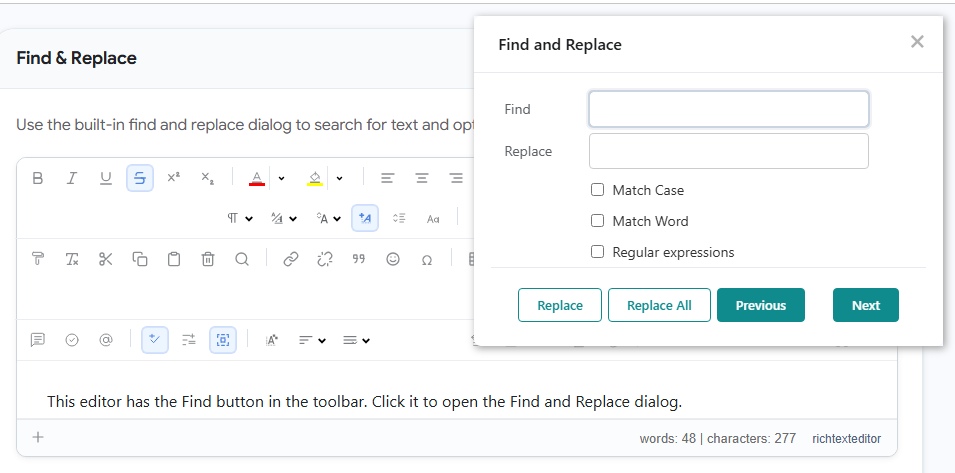
In a long document, people need to find a word or change a product name everywhere. RichTextBox has a find and replace dialog that works on the document's text.
Add the button
The button's name is find. The default and full toolbars include it, and basic does not. In your own toolbar:
<richtextbox name="Body"
             toolbar="{bold,italic}|{find}|{undo,redo}"
             height="400px"></richtextbox>
There is no server part: the dialog runs entirely in the browser, so it needs no endpoint and no configuration.
What it does
- Find moves through each match and highlights it.
- Replace changes the current match, and Replace All changes all of them.
- Match Case and Match Word narrow the search, so that replacing "art" does not change "start".
- Regular expressions are there for people who need a pattern.
- Previous and Next step through the matches.
A replacement keeps the formatting of the text around it, and Undo takes it back, so someone who makes a mistake can recover right away.
It searches text, not HTML
The search looks at what people read. Searching for a word finds it even when part of it is bold, and searching for strong does not find the tag. To change the markup itself, people use source view.
Try it
Open the find and replace demo, press the Find button and search for "editor".