 RichTextBox
Insert and remove links in an ASP.NET Core rich text editor
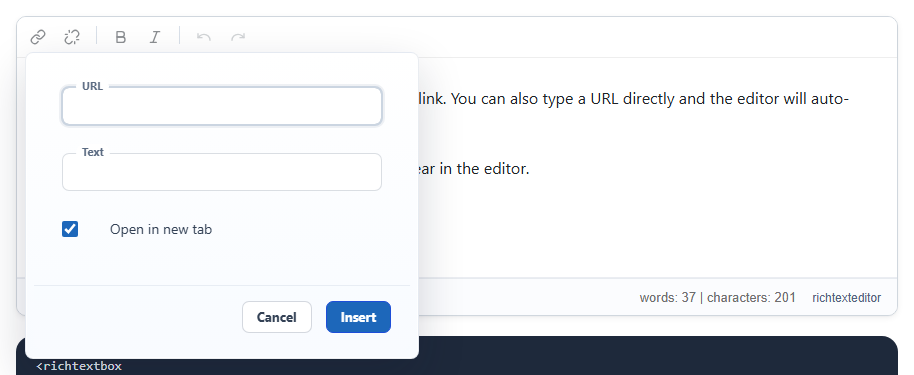
Links are the most used feature after bold. RichTextBox has an Insert Link dialog with the address, the text and whether it opens in a new window, and a separate button that removes a link.
Add the buttons
insertlink is in every preset. unlink is in full. In your own toolbar:
<richtextbox name="Body"
             toolbar="{insertlink,unlink}|{bold,italic}|{undo,redo}"
             height="300px"></richtextbox>
Absolute or relative addresses
A site that moves between test and live servers usually wants links to its own pages to stay relative. url-type controls that:
<richtextbox name="Body" url-type="relative"></richtextbox>
<richtextbox name="Email" url-type="absolute"></richtextbox>
Use absolute for content that leaves your site, such as an email, where a relative link would point nowhere. The URL type demo shows both.
Links are a way in for scripts
A link can be javascript:steal(), which runs when someone clicks it. The editor removes such addresses, but a person can post your form without it, so the server must check too. [RichTextHtml] does: a posted <a href="javascript:steal()">Offer</a> loses the address and keeps the text.
[BindProperty]
[RichTextHtml]
public string? Body { get; set; }
Links to files
To link to a PDF or Word file, people should use Insert Document, which uploads it and inserts the link in one step.
Editing an existing link
Click a link and a small toolbar offers edit and remove, so people do not have to select it precisely. The edit link demo shows it.