 RichTextBox
An Office-style ribbon toolbar in an ASP.NET Core editor
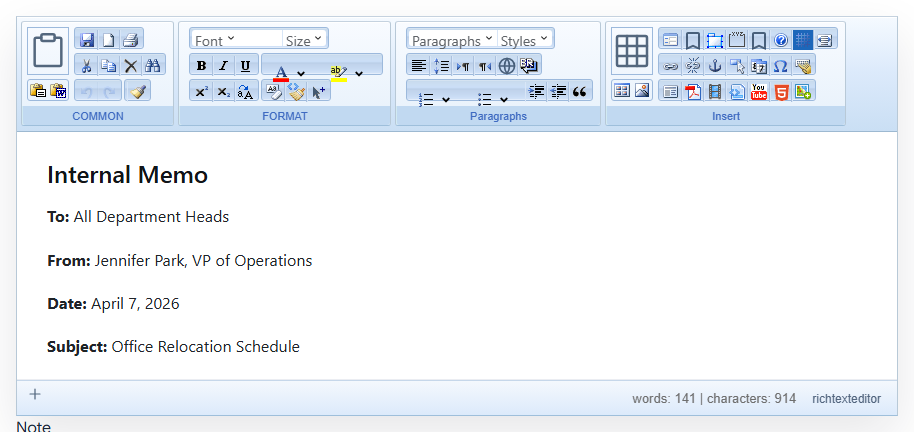
People who spend their days in Word are comfortable with a ribbon. RichTextBox has an Office-style toolbar layout, and a blue skin to go with it.
Turn it on
<richtextbox name="Body"
             toolbar="office"
             skin="office2007blue"
             height="400px"></richtextbox>
toolbar decides which controls appear and how they are arranged, while skin decides how the editor looks. They are separate, so you can use either on its own. See the default skin demo for comparison.
Who it suits
- Staff replacing a Word-based process, who know where things are in a ribbon.
- Older internal applications that already look like desktop software.
For a public website or a modern application, the default toolbar will usually fit better.
A ribbon needs room
A ribbon takes up much of a small screen, so on phones it is better to turn on the mobile toolbar:
<richtextbox name="Body"
             toolbar="office"
             skin="office2007blue"
             enable-mobile-toolbar="true"></richtextbox>
Skin and content are separate
A skin changes the editor around the text, not the document. To change how the document itself looks, use content CSS. So switching skins later never touches what people have saved.
Bring your Word documents
People moving from Word will also want clean pasting and Word export.