 RichTextBox
Keep each user's uploads in their own place in ASP.NET Core
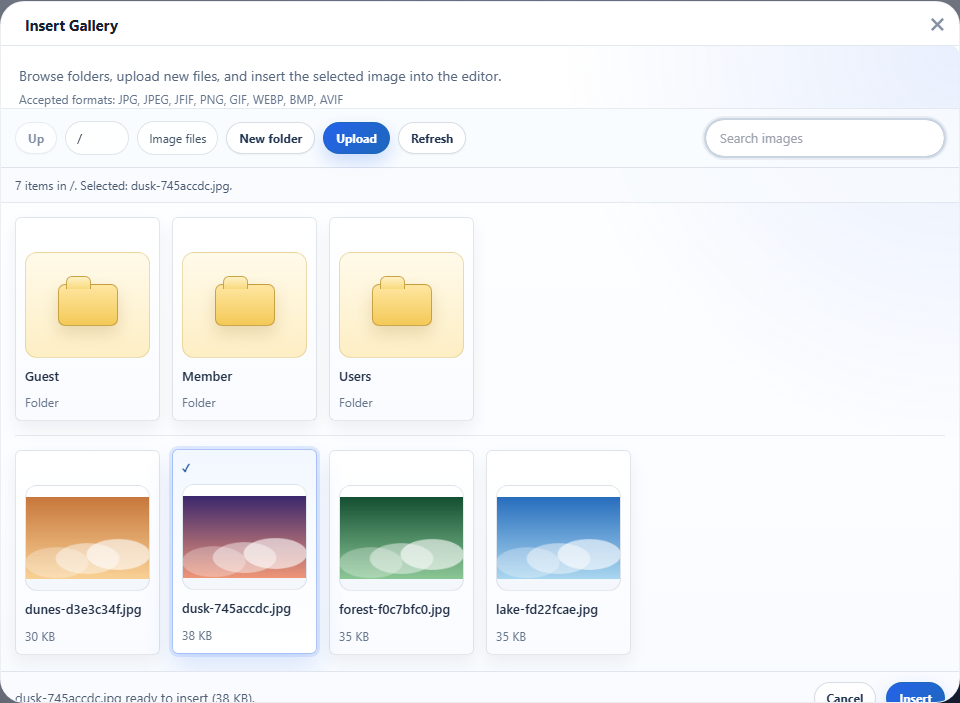
On a forum, a marketplace or any application with many customers, one customer must not browse another customer's pictures. In RichTextBox the storage is behind an interface, so you can wrap the default store and give each signed-in user a private root. We ran the code below against two users before publishing it.
The store
using System.Security.Claims;
using System.Security.Cryptography;
using System.Text;
using Microsoft.Extensions.Options;
using RichTextBox;
using RichTextBox.Uploads;

public sealed class PerUserUploadStore : IRichTextBoxUploadStore, IRichTextBoxUploadBrowser
{
    private readonly LocalDiskUploadStore _disk;
    private readonly IHttpContextAccessor _http;

    public PerUserUploadStore(IWebHostEnvironment environment, IOptions<RichTextBoxOptions> options, IHttpContextAccessor http)
    {
        _disk = new LocalDiskUploadStore(environment, options);
        _http = http;
    }

    // A folder name made from the user's id, so nothing a visitor types reaches a path.
    private string UserFolderName()
    {
        var id = _http.HttpContext?.User.FindFirstValue(ClaimTypes.NameIdentifier)
            ?? throw new UnauthorizedAccessException();
        return Convert.ToHexString(SHA256.HashData(Encoding.UTF8.GetBytes(id)))[..16].ToLowerInvariant();
    }

    private string Root => "users/" + UserFolderName();
    private string Inside(string folder) => folder.Length == 0 ? Root : Root + "/" + folder;
    private string Strip(string folder) => folder == Root ? "" : folder[(Root.Length + 1)..];

    public Task<string> SaveAsync(UploadStoreRequest request, CancellationToken cancellationToken = default) =>
        _disk.SaveAsync(new UploadStoreRequest
        {
            Folder = Inside(request.Folder),
            FileName = request.FileName,
            ContentType = request.ContentType,
            Content = request.Content,
            ContentLength = request.ContentLength,
            Options = request.Options,
        }, cancellationToken);

    public Task DeleteAsync(string webPath, CancellationToken cancellationToken = default) =>
        _disk.DeleteAsync(webPath, cancellationToken);

    public async Task<UploadFolderListing?> ListAsync(string folder, RichTextBoxOptions options, CancellationToken cancellationToken = default)
    {
        // The disk store lists its root when a folder is missing, so make sure this user's exists first.
        await _disk.CreateFolderAsync("users", UserFolderName(), options, cancellationToken);
        var listing = await _disk.ListAsync(Inside(folder), options, cancellationToken);
        if (listing is null || (listing.Folder != Root && !listing.Folder.StartsWith(Root + "/"))) return null;
        return new UploadFolderListing
        {
            Folder = Strip(listing.Folder),
            Folders = listing.Folders.Select(f => new UploadFolderEntry { Name = f.Name, Folder = Strip(f.Folder) }).ToList(),
            Files = listing.Files,
        };
    }

    public Task<bool> CreateFolderAsync(string parentFolder, string name, RichTextBoxOptions options, CancellationToken cancellationToken = default) =>
        _disk.CreateFolderAsync(Inside(parentFolder), name, options, cancellationToken);
}
Register it
builder.Services.AddHttpContextAccessor();
builder.Services.AddRichTextBox();
builder.Services.AddSingleton<IRichTextBoxUploadStore, PerUserUploadStore>();

// later
app.UseAuthentication();
app.UseAuthorization();
app.MapRichTextBoxUploads().RequireAuthorization();
RequireAuthorization() matters here: without a signed-in user, the store has no id to work with.
The trap this code avoids
When a folder does not exist, the default disk store lists its upload root instead. For a brand-new user with no folder yet, a naive wrapper would therefore show everyone's files. That is why ListAsync creates the user's folder first, and returns nothing if the answer comes from anywhere else.
What we tested
- A new user sees an empty gallery, not other people's files.
- Two users each see only their own pictures.
- Asking for
../or another user's folder name shows nothing of the other user. - Folders created by a user appear under their own name, and uploads into them work.
Private folder, public address
This separates what users can browse. The files themselves are still ordinary web files: a picture needs a public address to appear in a published page, and anyone with that address can open it. Keep confidential documents out of this folder, and serve them through an action that checks access.