 RichTextBox
Preview button in an ASP.NET Core rich text editor
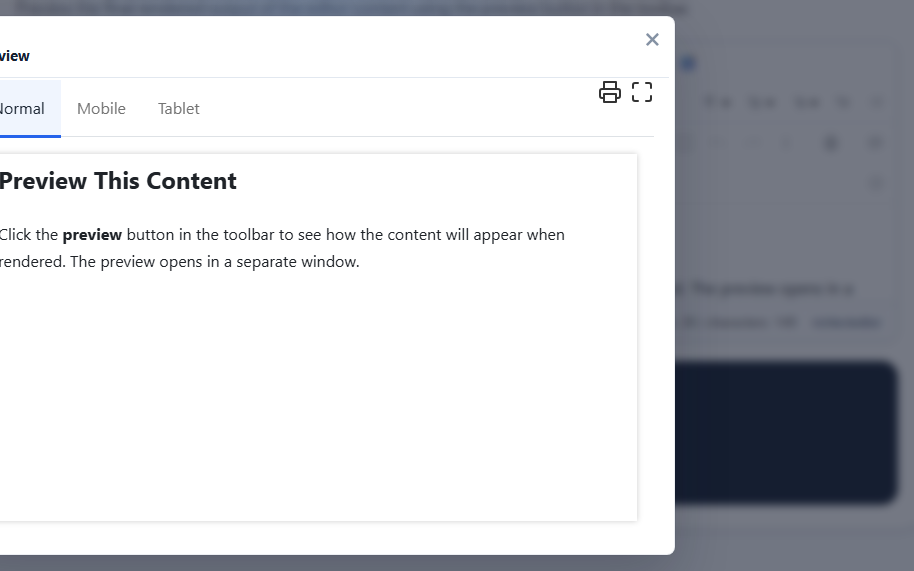
People want to see what they wrote before it goes out. The preview button, preview, opens the document on its own, away from the toolbar. It is in the default and full toolbars.
Add it
<richtextbox name="Body"
             toolbar="{bold,italic,preview}|{undo,redo}"
             height="300px"></richtextbox>
Three sizes
The dialog has Normal, Mobile and Tablet buttons, so a writer can see how a table or a wide picture behaves on a phone before anyone else does.
Make it match your site
A preview is only useful if it looks like the published page. Give it your content stylesheet:
<richtextbox name="Body"
             toolbar="default"
             content-css-url="/css/article.css"
             preview-css-url="/css/article.css"></richtextbox>
See content CSS, and the preview CSS demo.
Preview is not the final word
The preview shows the editor's HTML in the browser. What gets saved is what the server's cleaner returns, so a preview can show something the cleaner removes. For exact results in a publishing workflow, add your own preview: post the content, clean it, and show it in your real page template.
public IActionResult OnPostPreview()
{
    // Body is cleaned by [RichTextHtml] during binding
    return Page();
}