 RichTextBox
Line height button in an ASP.NET Core rich text editor
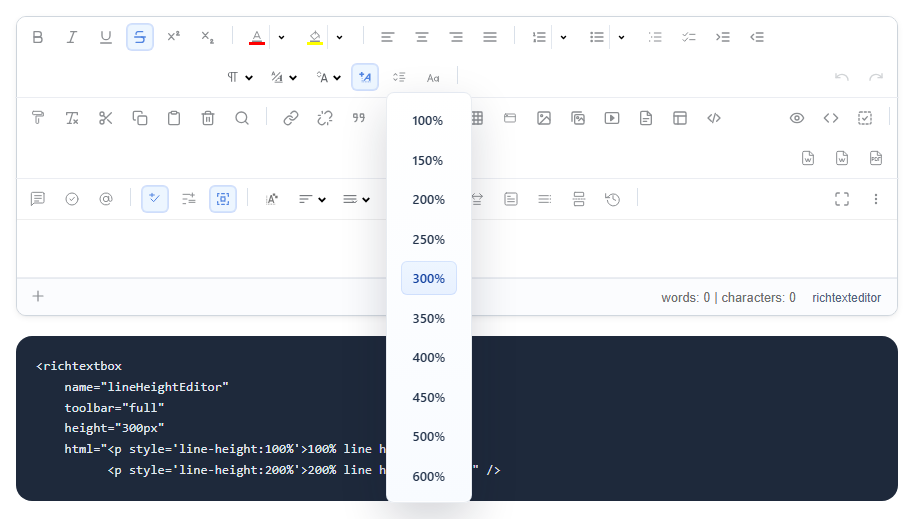
Tight lines are tiring to read, and double spacing is what a form or a school paper may ask for. The lineheight button sets the spacing of the selected paragraphs. It is in the default and full toolbars.
Add it
<richtextbox name="Body"
             toolbar="{lineheight,bold,italic}|{undo,redo}"
             height="300px"></richtextbox>
The values it offers
100%, 150%, 200%, 250%, 300%, 350%, 400%, 450%, 500% and 600%.
What is saved
The spacing is saved as a style on the paragraph, so it travels with the document:
<p style="line-height: 200%">Double spaced text.</p>
For a whole site, use CSS
If every article should have the same comfortable spacing, do not leave that to each writer. Put it in your stylesheet, and show the same thing in the editor through content CSS:
body { line-height: 1.6; }
A value around 1.5 to 1.7 reads well for body text. Then the button is only for the exceptions, or you can leave it out altogether.
Exports
Because the spacing is in the document, it comes along when the document is exported. A value set only in your site's stylesheet does not, since Word does not read your CSS.