 RichTextBox
Version history in an ASP.NET Core rich text editor
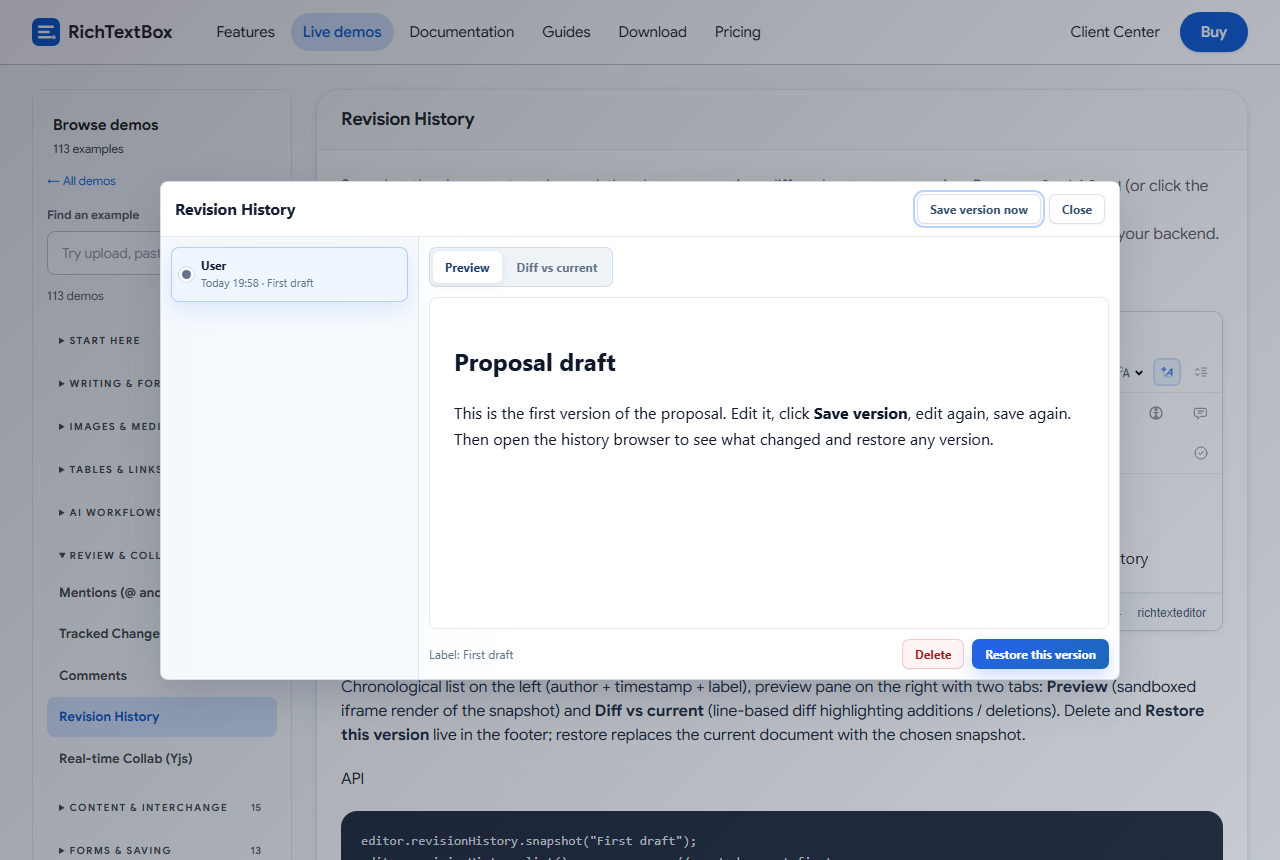
Someone deleted the wrong section yesterday, and it is gone. Version history lets people save points in a document, compare them with the present version and go back.
Turn it on
<richtextbox id="rhEditor" name="Draft"
             toolbar="default"
             enable-revision-history="true"
             revision-history-max-entries="50"
             revision-history-auto-snapshot-ms="30000"></richtextbox>
Press Ctrl+Shift+H or the clock button on the toolbar to open the browser. It lists the versions on the left and has Preview and Diff vs current on the right.
From code
var editor = window.richTextBoxEditors.rhEditor;

editor.revisionHistory.snapshot("First draft");
editor.revisionHistory.list();
editor.revisionHistory.restore(id);
editor.revisionHistory.delete(id);
editor.revisionHistory.openBrowser();
A good habit is to take a snapshot just before publishing, with a label.
Where versions are kept
By default, versions stay in the browser's localStorage: they are private to that browser and limited in size, and they are lost if someone clears it. To keep them for good and share them, use revision-history-url, and store them on your server:
<richtextbox name="Draft" enable-revision-history="true" revision-history-url="/api/revisions"></richtextbox>
Protect that API with your own authorization, as it holds your documents.
Version history and track changes
Track changes shows each edit for review, while version history keeps whole copies to go back to. Many teams use both.
Upgrading
editor.revisionHistory needs the release after 1.0.24. In earlier packages, an old fallback replaced this feature, so the object did not exist.