 RichTextBox
Insert special characters in an ASP.NET Core rich text editor
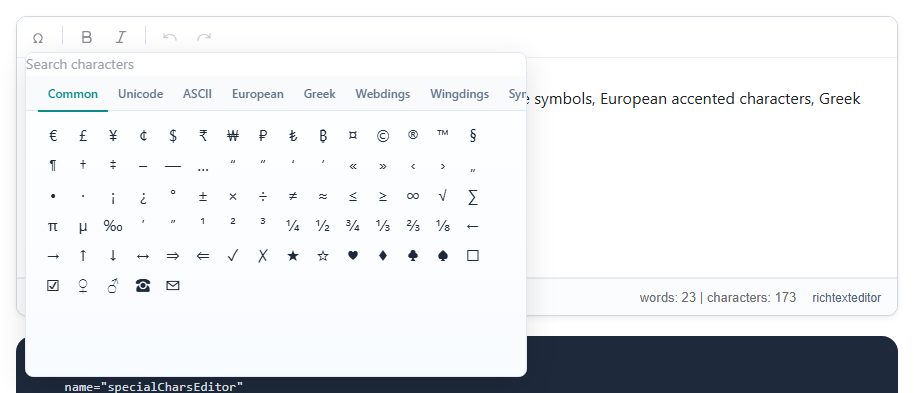
Copyright signs, currency, arrows and accented letters are hard to type on many keyboards. The character panel gives people a place to click them. The button is insertchars, in the default and full toolbars.
Add it
<richtextbox name="Body"
             toolbar="{insertchars,bold,italic}|{undo,redo}"
             height="300px"></richtextbox>
The sets
- Common: € £ ¥ © ® ™ — … “ ” ° ± × ÷ ≤ ≥ ∞ ← → ✓ ★ and more
- Unicode and ASCII
- European accented letters
- Greek
- Webdings, Wingdings and Symbol
How they are saved
A character from the Common, Unicode, European or Greek sets is saved as the real character, so it works everywhere, including search and copy and paste. Make sure your page and your database column are Unicode: nvarchar in SQL Server, and utf8mb4 in MySQL. A plain varchar column can turn these into question marks.
A warning about symbol fonts
Webdings, Wingdings and Symbol are fonts, not characters. Their symbols only look right where that font is installed, and they can appear as ordinary letters on a phone. For a public website, prefer a real character from the Common set, such as ✓, over a Wingdings tick.
Emoji
For faces and pictures there is a separate emoji picker.