 RichTextBox
Add an emoji picker to an ASP.NET Core rich text editor
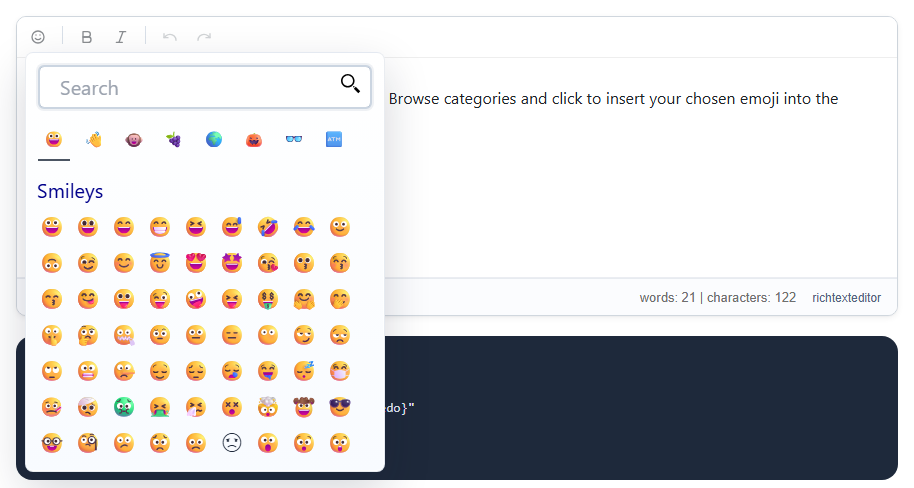
Comments and messages feel more natural with emoji. RichTextBox has a picker, insertemoji, which is in every toolbar preset.
Add it
<richtextbox name="Body"
             toolbar="{insertemoji,bold,italic}|{undo,redo}"
             height="300px"></richtextbox>
The picker
It opens a panel of emoji grouped by category, such as Smileys. Click one to insert it at the caret. Windows users can also press Win + . and macOS users Ctrl + Cmd + Space, which works in the editor as it does anywhere else.
Storing emoji
This is where things tend to go wrong. An emoji is a real Unicode character, so your database must store full Unicode:
| Database | Column type |
|---|---|
| SQL Server | nvarchar(max), not varchar |
| MySQL | utf8mb4, not utf8 |
| PostgreSQL | A UTF-8 database |
If emoji come back as question marks, check that first. With Entity Framework Core, a string maps to nvarchar(max) on SQL Server by default, which is correct.
How they look
The reader's device draws each emoji, so the same one looks somewhat different on Windows, iPhone and Android. A very new emoji may show as an empty box on an older device.
Length limits
An emoji can count as more than one character, so a text limit may be reached slightly sooner than people expect. Length limits are worth trying with a few emoji.