 RichTextBox
Word and character count in an ASP.NET Core rich text editor
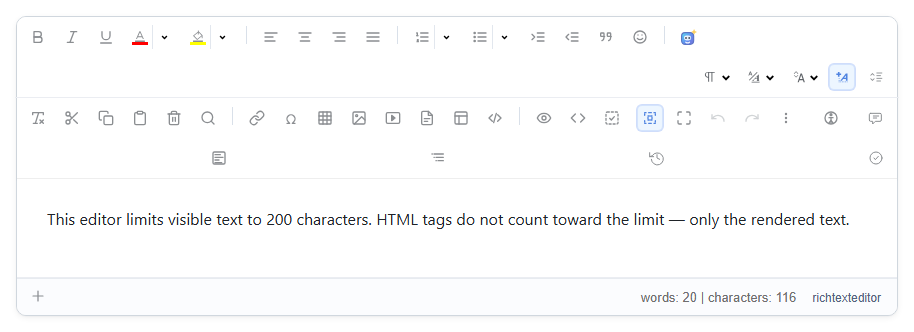
Writers with a limit need to see where they stand. RichTextBox shows a live count at the bottom of the editor.
Turn it on
<richtextbox name="Body"
             toolbar="default"
             height="300px"
             show-statistics="true"></richtextbox>
The bar shows, for example, words: 48 | characters: 277, and updates as people type. With text selected, it shows the selection too, such as words: 3 of 39.
Combine it with a limit
[BindProperty]
[RichTextHtml(MaxTextLength = 500)]
public string? Summary { get; set; }
<richtextbox asp-for="Summary" toolbar="basic" show-statistics="true"></richtextbox>
<span asp-validation-for="Summary"></span>
The limit counts what readers see, and it is enforced on the server as well. See limiting text length.
Getting the count in code
For your own display, such as "reading time", read the text and count it:
var editor = window.richTextBoxEditors.Body;
var text = editor.getPlainText();
var words = text.trim().split(/\s+/).filter(Boolean).length;
var minutes = Math.ceil(words / 200);
On the server
Never trust a count sent by the browser. If a limit matters, for example for a paid plan, count on the server, using the same text the cleaner produced.