 RichTextBox
Show the HTML tag path in an ASP.NET Core rich text editor
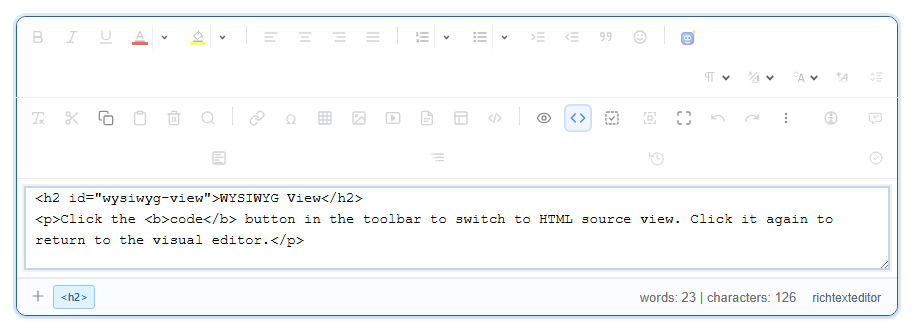
In a complicated document it is hard to see what the caret is inside, or to select an entire table or list. The tag path at the bottom of the editor shows exactly that.
Turn it on
<richtextbox name="Body"
             toolbar="default"
             height="300px"
             show-tag-list="true"></richtextbox>
What it does
The bar lists the elements around the caret, from the outside in, for example table, tbody, tr, td, p. Clicking one selects that whole element. That is the easy way to:
- select a whole table to delete or copy it,
- select a whole list or quotation,
- find out why a line looks the way it does.
Who it is for
It suits people who understand a little HTML, such as content managers and developers. For everyday writers it can be noise, so you might turn it on only for those who want it:
<richtextbox asp-for="Body"
             toolbar="default"
             show-tag-list="@User.IsInRole("Editor")"></richtextbox>
Going further
To change the markup itself, people can use the source view. The tag path is the safer first step, since it selects things and changes nothing.