 RichTextBox
Right-click menu in an ASP.NET Core rich text editor
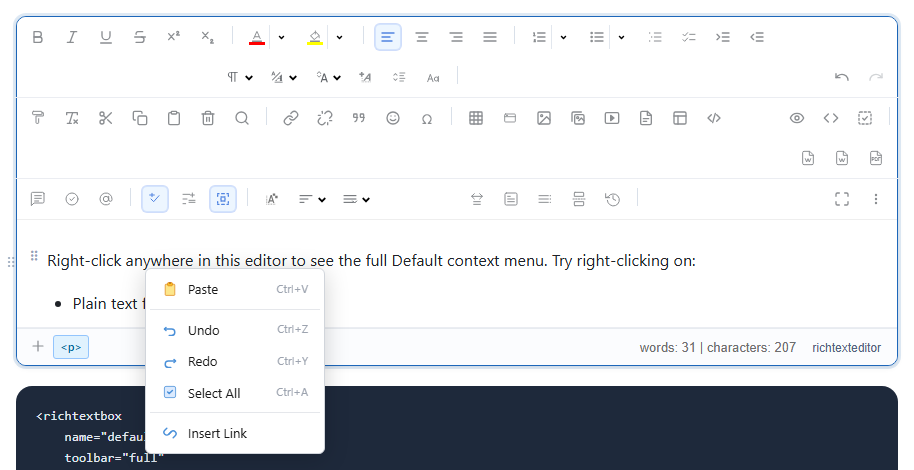
People right-click out of habit, especially in tables. RichTextBox can show its own menu there, with actions that fit what was clicked.
Turn it on
<richtextbox name="Body"
             toolbar="full"
             height="350px"
             enable-context-menu="true"
             context-menu-mode="Default"></richtextbox>
The modes
Defaultis the fuller menu, with formatting, insert and table actions.Simpleis a short menu for basic actions.
The context menu demo shows how it changes with what you click.
What it offers
On plain text the menu has Paste, Undo, Redo, Select All and Insert Link, with their shortcuts. Inside a table it also offers row and column actions, which is where it earns its place: people find adding a row far easier here than in a toolbar.
What about the browser's menu?
The editor's menu replaces the browser's own, so "Inspect" and spell-check suggestions are not on the first right-click. To turn it off and keep the browser's, use:
<richtextbox name="Body" enable-context-menu="false"></richtextbox>
Keyboard users
Everything in the menu is also available from the toolbar or a shortcut, so no action depends on a right-click. That also matters on phones, where a long press usually shows the system's own selection menu.