 RichTextBox
Insert an image by URL in an ASP.NET Core rich text editor
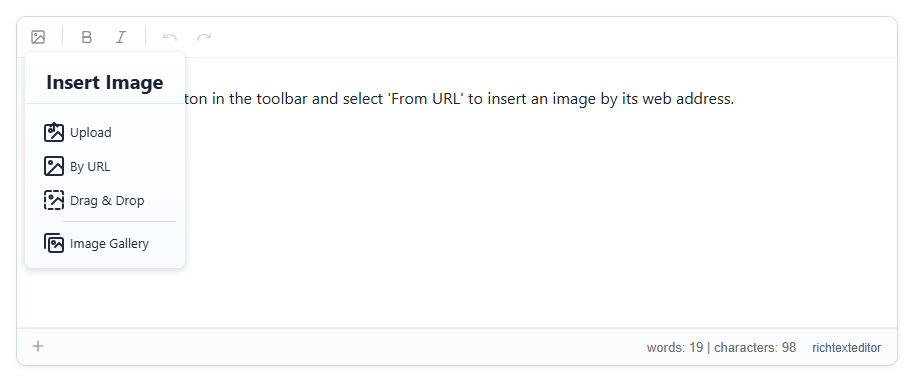
Sometimes the picture is already online, and uploading it again is unnecessary. The Insert Image button, insertimage, has a By URL tab. It is in every toolbar preset.
Add it
<richtextbox name="Body"
             toolbar="{insertimage,bold,italic}|{undo,redo}"
             height="300px"></richtextbox>
The dialog offers Upload, By URL, Drag & Drop and Image Gallery. Paste the address on the By URL tab and insert.
Describe the picture
Alt text is what a screen reader says and what search engines read. Encourage people to fill it in. The editor's accessibility checker reports pictures without it.
The picture stays on the other site
The address is saved as it is, and the picture is not copied to your server. So:
- if the other site moves or deletes it, your page shows a broken image,
- the other site can replace it with something else at any time,
- every reader's browser contacts that site, which may matter for your privacy rules,
- a site that blocks hot-linking may refuse to show it at all.
For content that has to last, upload the picture to your own storage instead.
What is checked on the server
A URL is only text, so the upload checks do not apply: the file is never sent to your server. [RichTextHtml] still cleans the saved HTML, so a script address is removed.